Read ten vacancies for the same role and you read the same thing nine times. A dynamic organisation, a challenging role, a great team and a competitive salary. Candidates recognise it after two sentences and scroll on, even when your job is actually the better one.
It is rarely the recruiter's fault. You write from a bare brief or an ATS export with three lines of text, and you fill the gaps with words that always fit. That is exactly why they say nothing. The end goal of this article: a job text in which the candidate sees within a few seconds what the job involves and what it offers, in a way that only applies to your vacancy.
After reading it, you can rewrite an existing vacancy yourself. You do that through Recruitment → Jobs, on the Description step of the job.
Before you start
- This article is about persuading. Which wording job boards and Meta reject is covered in Vacaturetekst schrijven: wat zijn de richtlijnen en regels?. How to get found more easily is explained in Vacaturetekst schrijven: 4 stappen om beter gevonden te worden.
- Collect the facts first. Salary with a minimum and a maximum, working hours, location, training or travel allowance, and who will call the candidate.
- Does your vacancy come from your ATS? Fields your ATS fills cannot be edited in Booston. If you rewrite by hand, do it in your ATS. With AI you can improve the text in Booston, see AI as a tool: good input, better text.
Start with the candidate
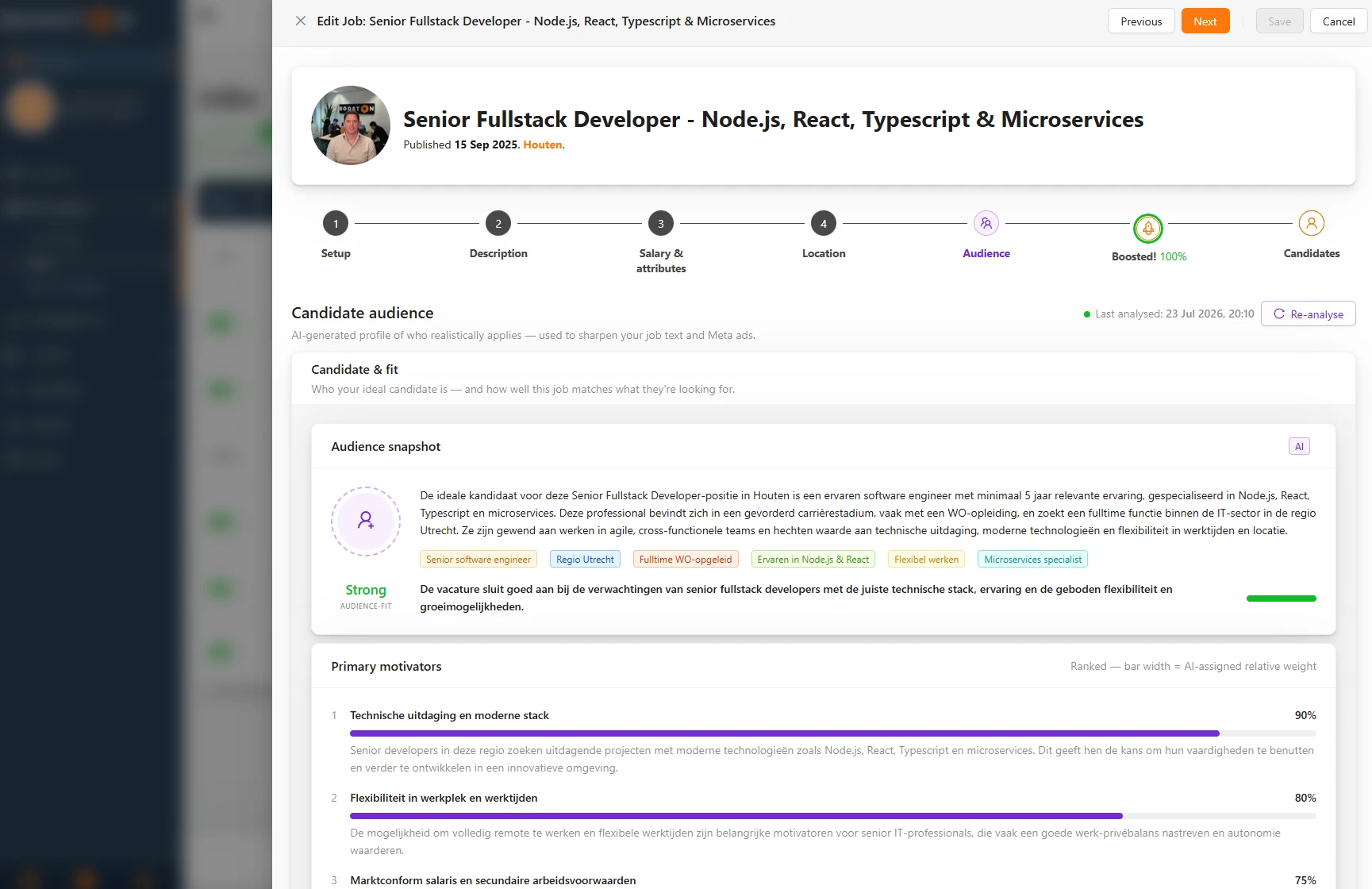
Only start writing once you know who for. Pick the candidate you can realistically reach: the ideal profile from the brief often has a good job already. Answer three questions for that candidate.
- Who actually applies? An order picker who works through an agency and wants fixed hours. A mechanic who has worked for the same employer for ten years. Think about the stage of their career and where they live.
- What drives that person? Rarely money alone. Fixed hours, less commuting, a permanent contract, good tools or training. What someone misses in their current job is your strongest argument.
- Where does that person drop out? No salary, ten requirements in a row, a vague schedule. Every drop-out point you know of is one you can remove in the text.
An example that comes back later on: a planner at a transport company in Tilburg. The brief says "experienced planner, resilient under pressure, flexible". The planner you can reach is currently called in the evening by drivers who are stuck, at a competitor. That person responds to fixed day shifts and a colleague who takes over the phone after four. "Resilient under pressure" only says that it is busy here too.
How to build a job text
A job text that works has six parts in a fixed order. The candidate reads from top to bottom and keeps deciding whether reading on is worth it. So whatever weighs most goes at the top.
You enter the title on the Setup step and the text in the text blocks on Description. Which blocks you have and in which order they appear on your site is set up per website. How the editor works is explained in Vacatures aanmaken, bewerken en beheren.
Job title: a search term and a place
Use the job name candidates type in themselves, short and without creativity. People search for "Transport planner", nobody searches for "Logistics director with an overview".
The place belongs right next to it, because commuting time is often the first filter. Enter the location on the Location step. Google for Jobs and the job boards of the Jobboard network then show it next to your title. Do not put the place name in the title field itself, because they expect only the job there. Do mention the place in the first sentence of your intro.
Intro: start with what the candidate gets
The first two or three sentences decide whether someone reads on. Open with what changes for the candidate. The company comes later, in one or two sentences. "We are a dynamic organisation with forty years of experience" is something any employer can write. Those first sentences are often also what candidates see in your job overview and in Google for Jobs, so facts work twice there.
What you will do: four to six points
Describe an ordinary working day in four to six points. Start each point with a verb and mention something the candidate can picture: a number, a system, a type of customer. "You are responsible for the planning" says little. This says more:
- You plan around 120 trips for 35 drivers every day.
- You solve delays with the customer and the driver.
- You keep track of driving and rest times.
- You have tomorrow's plan ready before you go home at four.
If you end up with more than six, there are tasks in the list that everyone in this role does. Those can go.
What you bring: five requirements at most
Many people only apply when they meet almost every requirement. Every requirement that does not really matter therefore puts off someone you would have liked to talk to. Keep it to five and split them into two groups.
- Hard requirements: what someone really needs to do the job. A diploma, a certificate, a driving licence, a language.
- Nice to haves: extras, under their own heading such as "A plus", so nobody drops out because one is missing.
Write a requirement as something a person can do or has. Nobody can test "resilient under pressure" or "flexible". For the planner: two years of planning experience in transport and knowledge of driving and rest times. Experience with a planning system is a nice to have.
What you get: salary and concrete terms
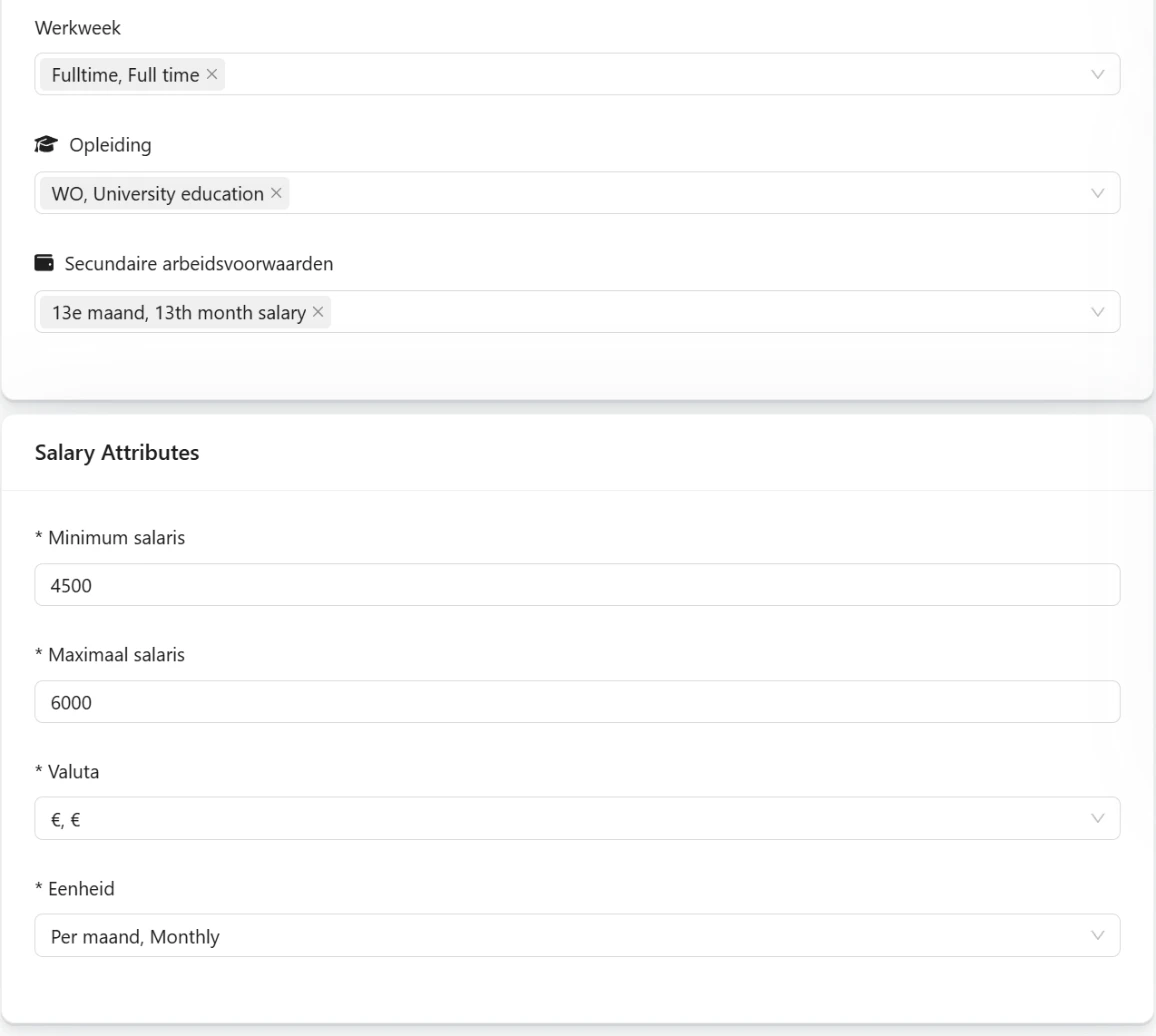
For most candidates this is the most important part. State the salary as a range and say what it depends on. Then make every term of employment as concrete as you can:
- €3,100 to €3,700 gross per month, depending on your experience;
- 25 days of holiday and a thirteenth month;
- a permanent contract after six months;
- travel costs reimbursed: €0.23 per kilometre.
Also enter the salary on the Salary & attributes step, with a minimum, a maximum and the period. Google for Jobs then shows it with your vacancy and candidates can filter on it.
Applying: a name and the next steps
Anyone in doubt wants to know who they will deal with and what happens after applying. Say it: "I will call you within two working days. If it clicks, you come by for an hour and spend a morning with the planning team."
The team member you link to the job appears with a photo and phone number on the job page, see Team members. Repeat the next steps in the confirmation e-mail, which you adjust in Email templates.
From generic to persuasive
Clichés fit every vacancy, and that is why they say nothing. Below are seven you come across almost everywhere, each with a rewrite that only fits one vacancy. The right column holds examples: fill in what is true for your vacancy.
| Generic | Persuasive |
|---|---|
| "You work in a dynamic environment." | "Two or three new projects start every week, and you join the kick-off from day one." |
| "Flexible working hours." | "You start between 7:00 and 9:00 and work from home on Tuesdays and Thursdays." |
| "You are hands-on." | "You lead four mechanics and go out on the van yourself two days a week." |
| "You are the linchpin of the team." | "You are the fixed point of contact for the site managers of twelve building projects and call them every morning at eight." |
| "A competitive salary." | "€3,100 to €3,700 gross per month, depending on your experience." |
| "A great team." | "You share a room with five colleagues. Most of them have been here for more than five years, and on Fridays you have lunch together." |
| "No 9-to-5 mentality." | "In the three weeks before Christmas you work two Saturdays, paid with a 50 percent supplement." |
That last one often wraps up overtime, and candidates know it. Be honest about when it happens and what you offer in return. Someone who knows beforehand is less likely to drop out later.
For an ad on Facebook or Instagram the same applies, with even less space. See Meta ads that make the right candidate stop, recognise themselves and respond.
The competitor test
Not sure whether a sentence is too general? Ask one question: could a competitor put this sentence in their own vacancy without changing a word? If so, it is too generic. Replace it with a number, a time or an example that only belongs to your vacancy. If that does not work, a fact is missing, and you ask the hiring manager for it.
Salary and words that exclude people
Always state a salary range
Salary is what candidates look for first. If it is missing, they fill it in themselves, usually lower than it is. On many job boards and in Google for Jobs candidates also filter on salary, and then a vacancy without one falls outside the results. The same goes for the salary filter on your own job page: anyone who uses it never sees a vacancy without a salary. See Searching on your job page.
Keep the range honest: the maximum must be reachable for someone who meets the requirements. How wide a range can be before a platform rejects it is covered in the guidelines and rules.
On top of that comes European pay transparency legislation: applicants must know the starting salary or the range before the first interview. In the Netherlands the law is expected to take effect in 2027. If you state the salary now, you are ready for it.
Words that exclude people
Hardly anyone excludes a group on purpose. It happens through words that look harmless.
| Wording | Why it excludes | Write instead |
|---|---|---|
| "A young team" | Older candidates read that they do not fit in. That is distinction based on age. | "A team of eight colleagues who have lunch together every Friday." |
| "Recent graduate" or "young professional" | Read as "young", even when you mean little experience. | "No experience needed. In the first three months you learn the trade alongside a fixed colleague." |
| "At most five years of experience" | Excludes experienced candidates, which mostly affects older people. | "At least two years of planning experience." A minimum is fine, a maximum is not. |
Wording like this can conflict with Dutch equal treatment law, and a candidate can file a complaint with the Netherlands Institute for Human Rights (College voor de Rechten van de Mens).
AI as a tool: good input, better text
Give AI only a job title or a bare ATS text and you get the clichés from this article back. AI fills the gaps with what is in thousands of other vacancies, and that is generic by definition.
With good input it does work. Two things make the difference:
- An audience analysis. With the Candidate audience analysis AI knows who applies and what drives them. Switch on Audience analysis in the AI settings card and AI writes for that audience.
- Concrete facts. AI does not invent a salary or a schedule. For a new job, paste everything you collected into Raw job text, and put what AI should stress under Additional instructions. If the vacancy is already online, From URL with a link to that page works too. Add whatever that page lacks under Additional instructions.
You create a new job with Create with AI under New job, and improve an existing one with Optimize with AI. How both work and what they cost is explained in Creating and optimising jobs with AI. Optimize with AI saves the new text straight into the job. So check it right away with the competitor test. AI delivers a strong draft, but only you know whether every fact is right. Whether a job has been optimized and how well it fits its audience is shown on the Boost tab, in the AI card, under Job text optimization and Audience fit. More about that tab is in Boost: boosting your jobs and seeing which ones still lack reach.
Need help?
Stuck, or not sure how to adjust the text in Booston for your site? Email support@booston.io or call 085 0044 215 and mention:
- the name of your environment;
- what you want to achieve;
- the message you see, if there is an error.
Would you rather go through the settings together? Book a free 30 minute online demo, and we will go through it with you. Job Done!


